
How to Withdraw Funds From Your Wallet
This guide shows you how to manually Withdraw funds from your LiquidTrust Wallet to your bank account and how to set up Auto-Withdrawal so your payments are automatically transferred.
Step-by-Step Instructions: Manual Withdrawal
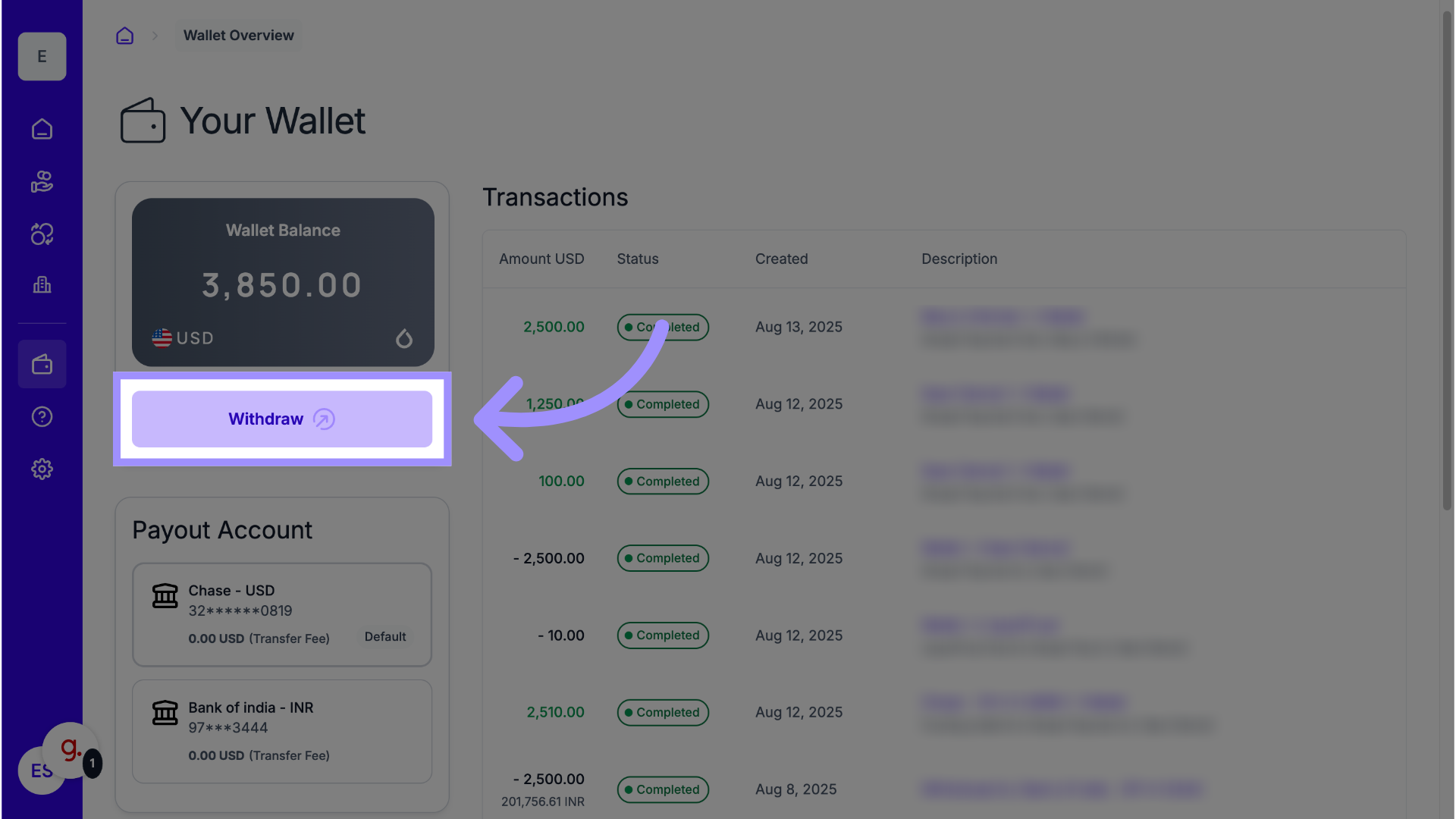
Follow these steps to transfer the available balance from your Wallet to your designated Default Payment Method.
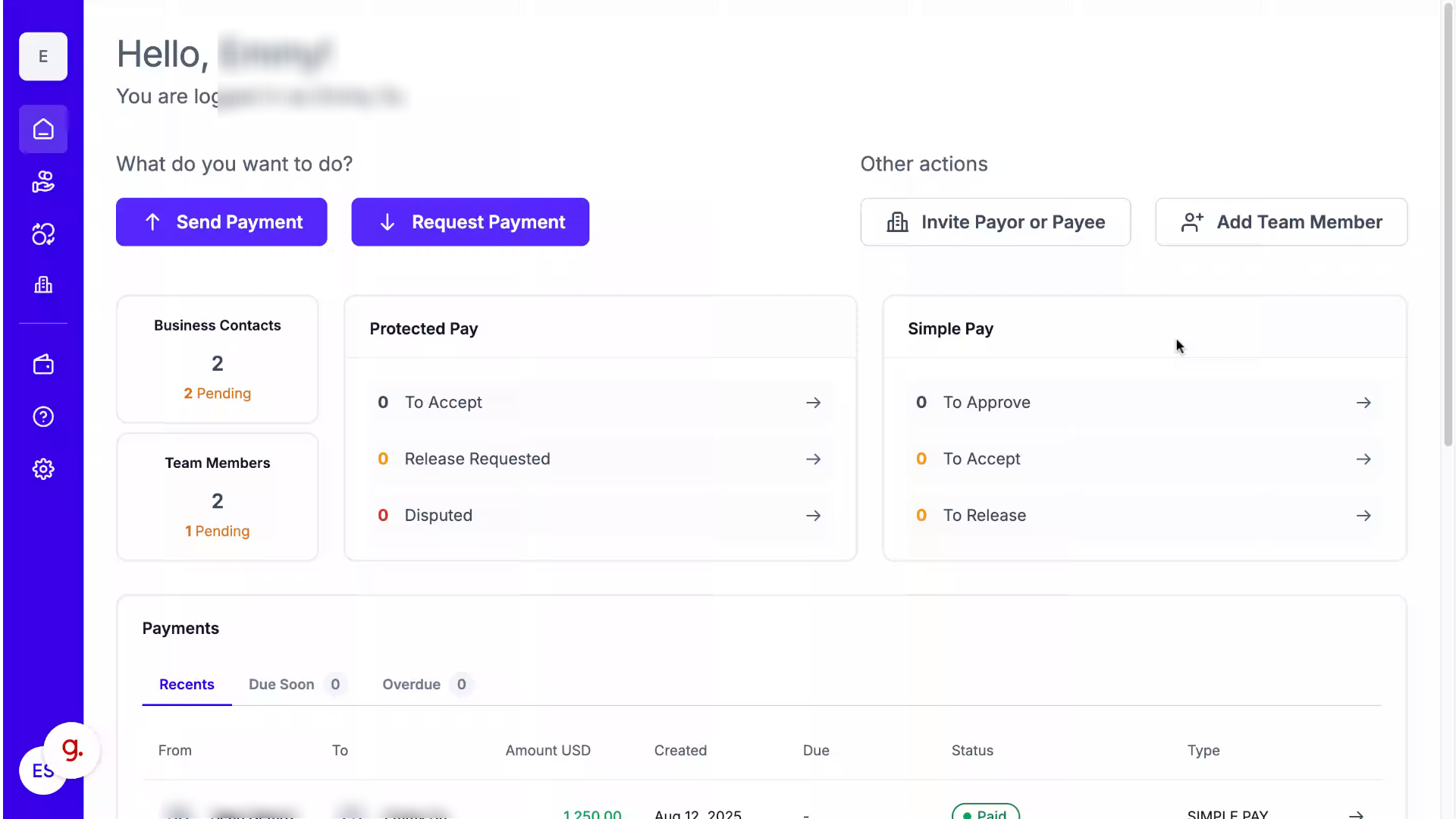
1. Go to Your Dashboard
Once you have successfully logged in, you will be taken to your dashboard.
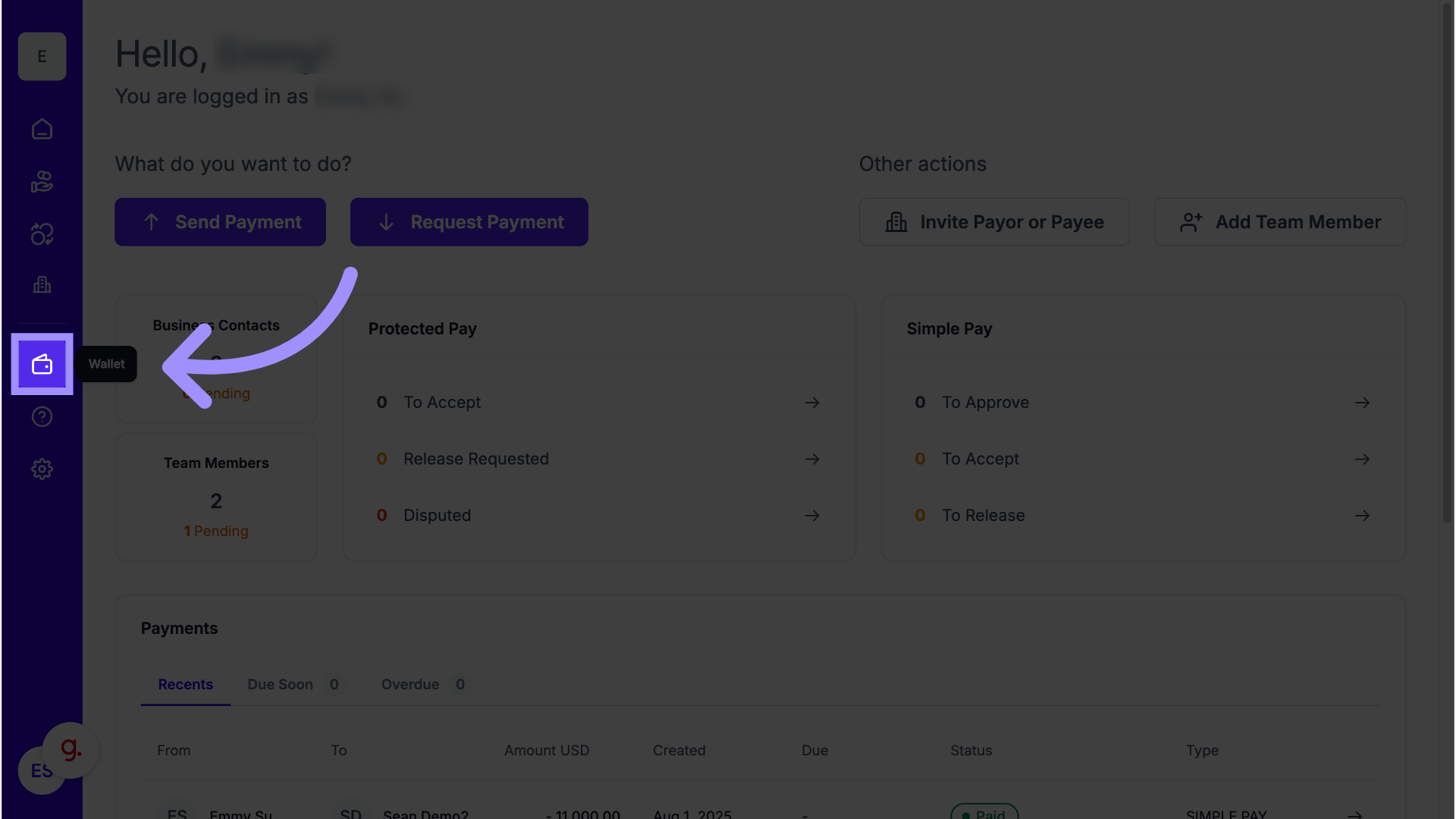
2. Wallet
3. Initiate the Withdrawal
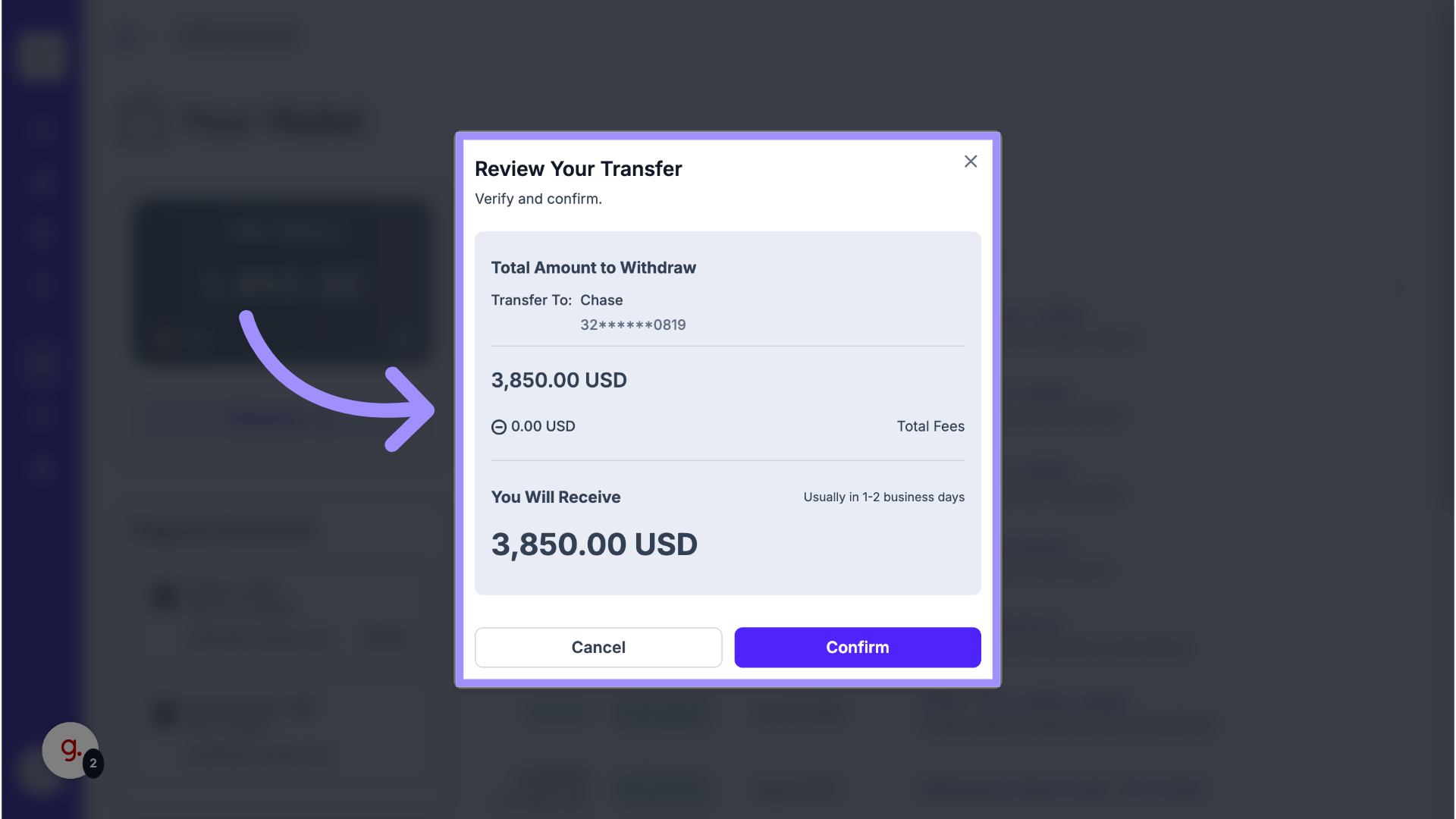
4. Click Confirm
5. View Balance
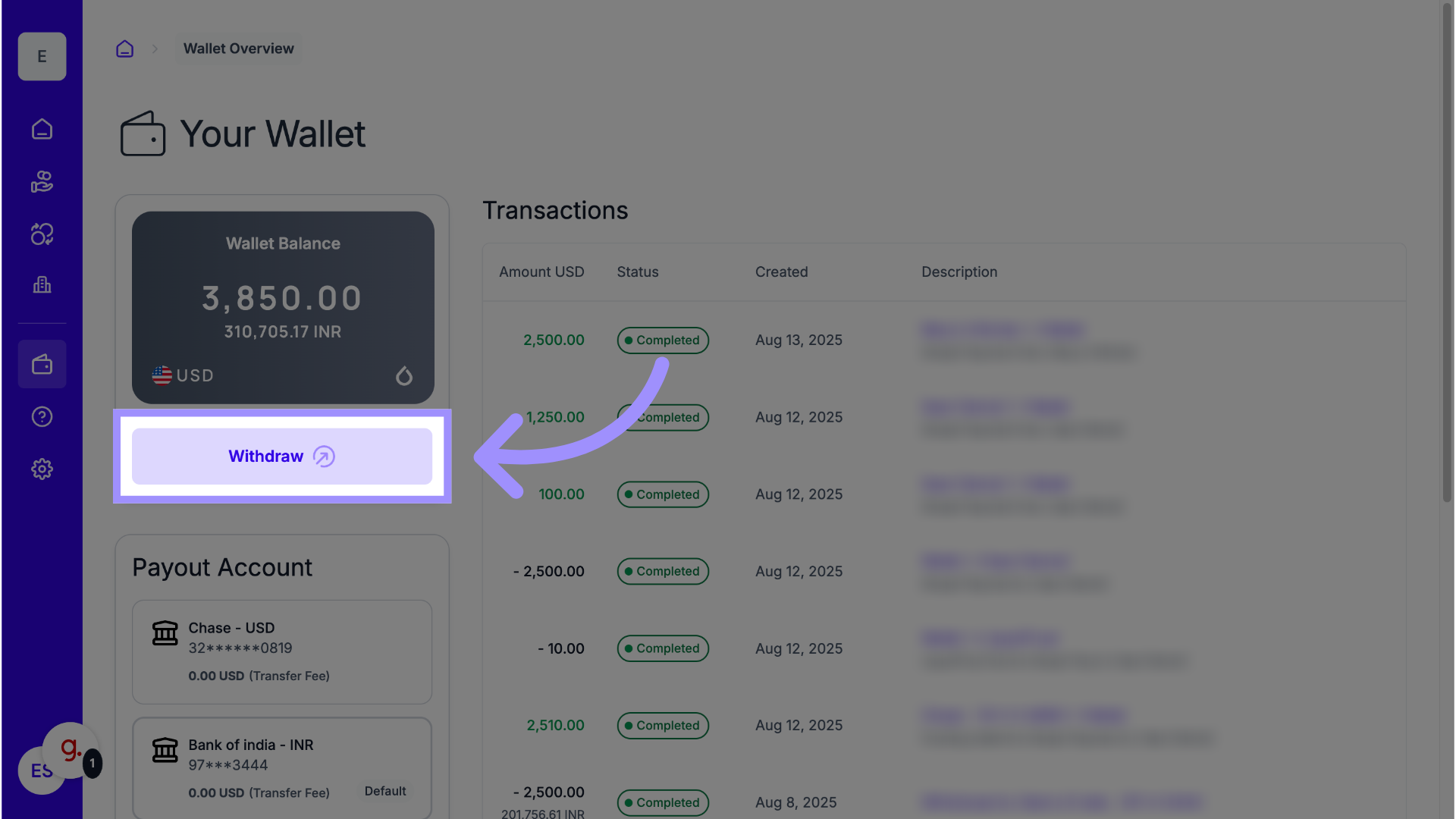
6. Conversion Rate
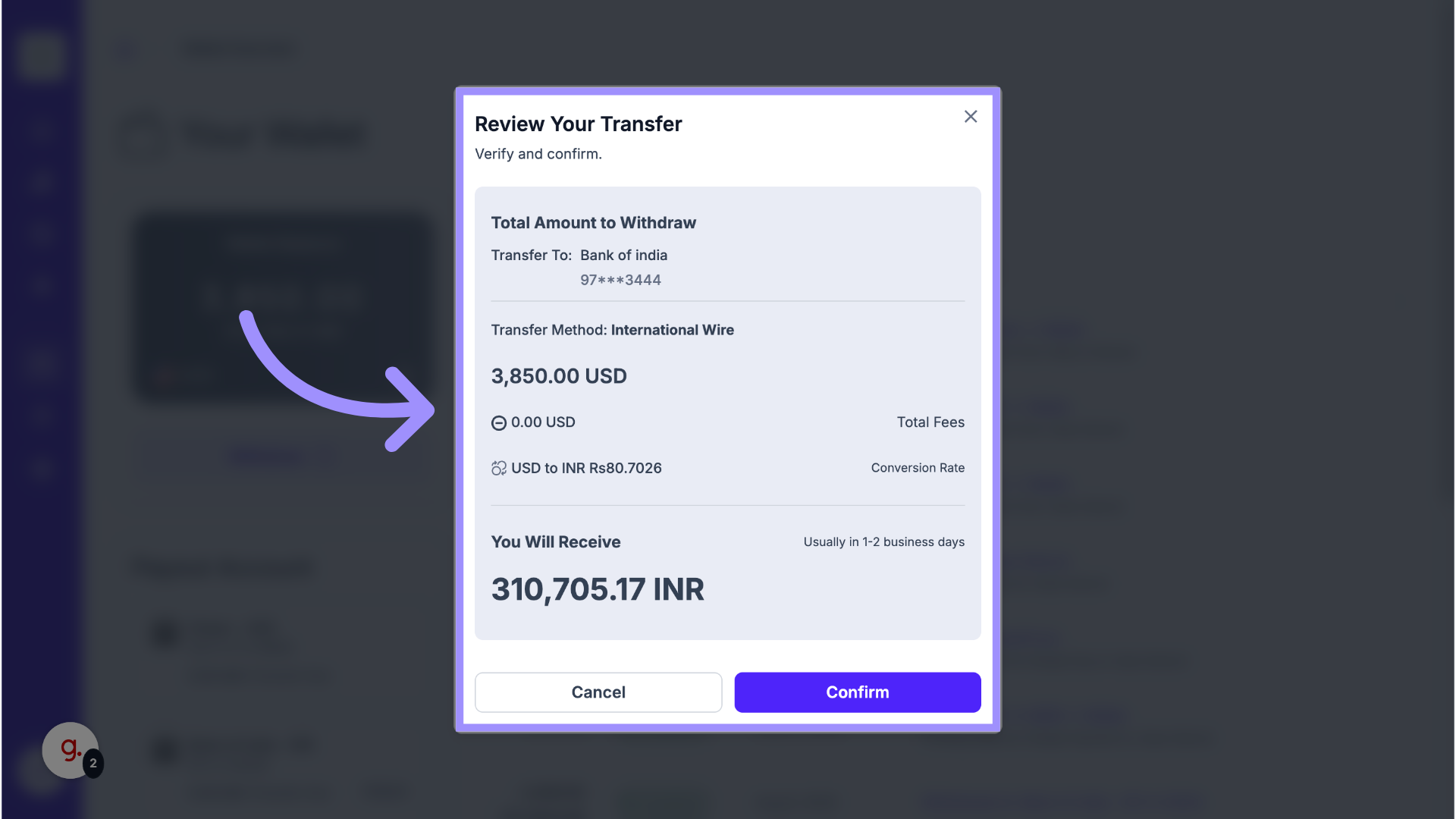
Click Confirm to finalize and initiate the transfer.
How to Set Up Auto-Withdrawal
You can enable automatic Withdrawals that transfer payments to your Default Payment Method without requiring manual action.
-
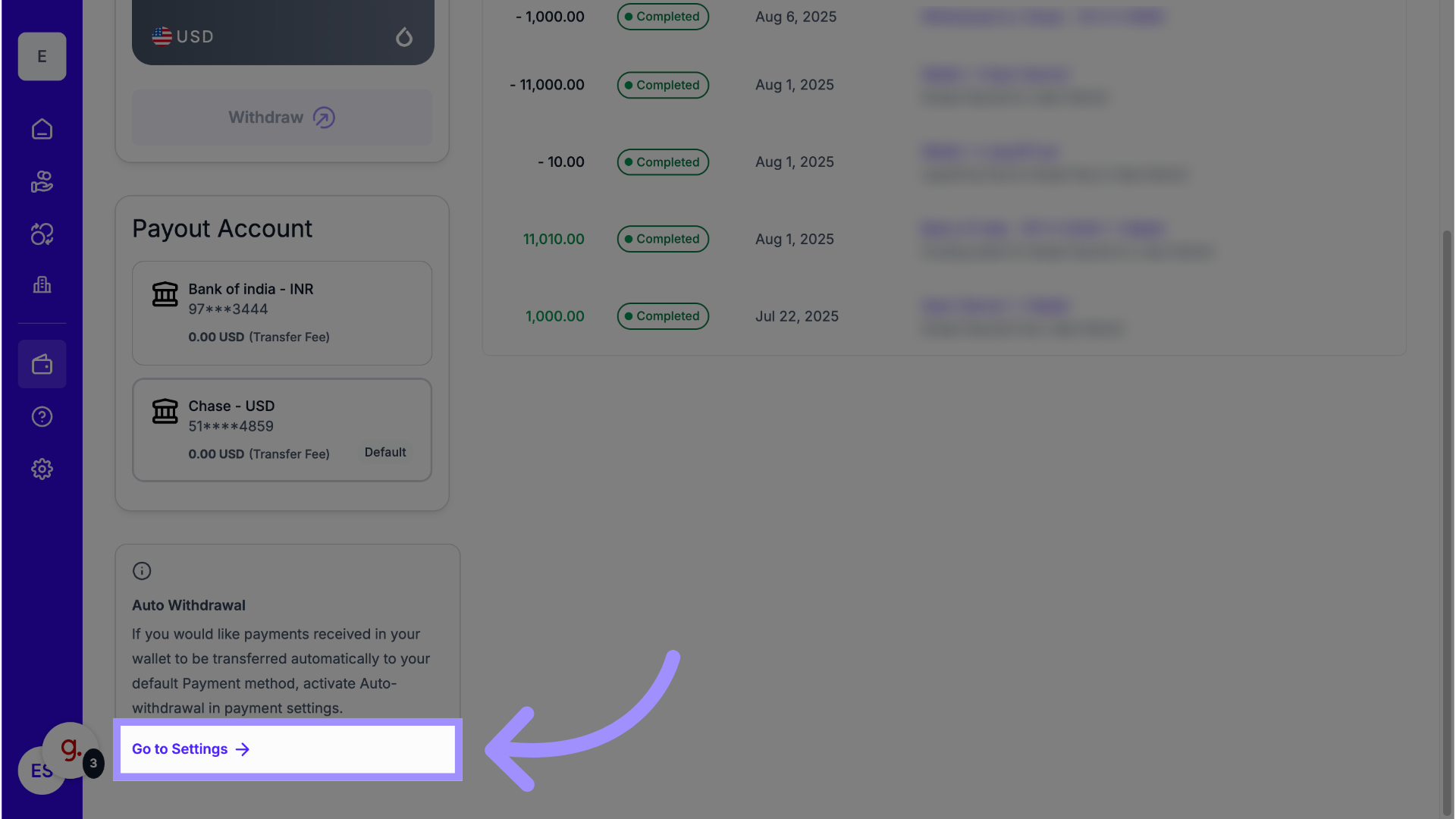
Go to Settings
To enable automatic withdrawals, go to your account settings by selecting "Go to Settings."
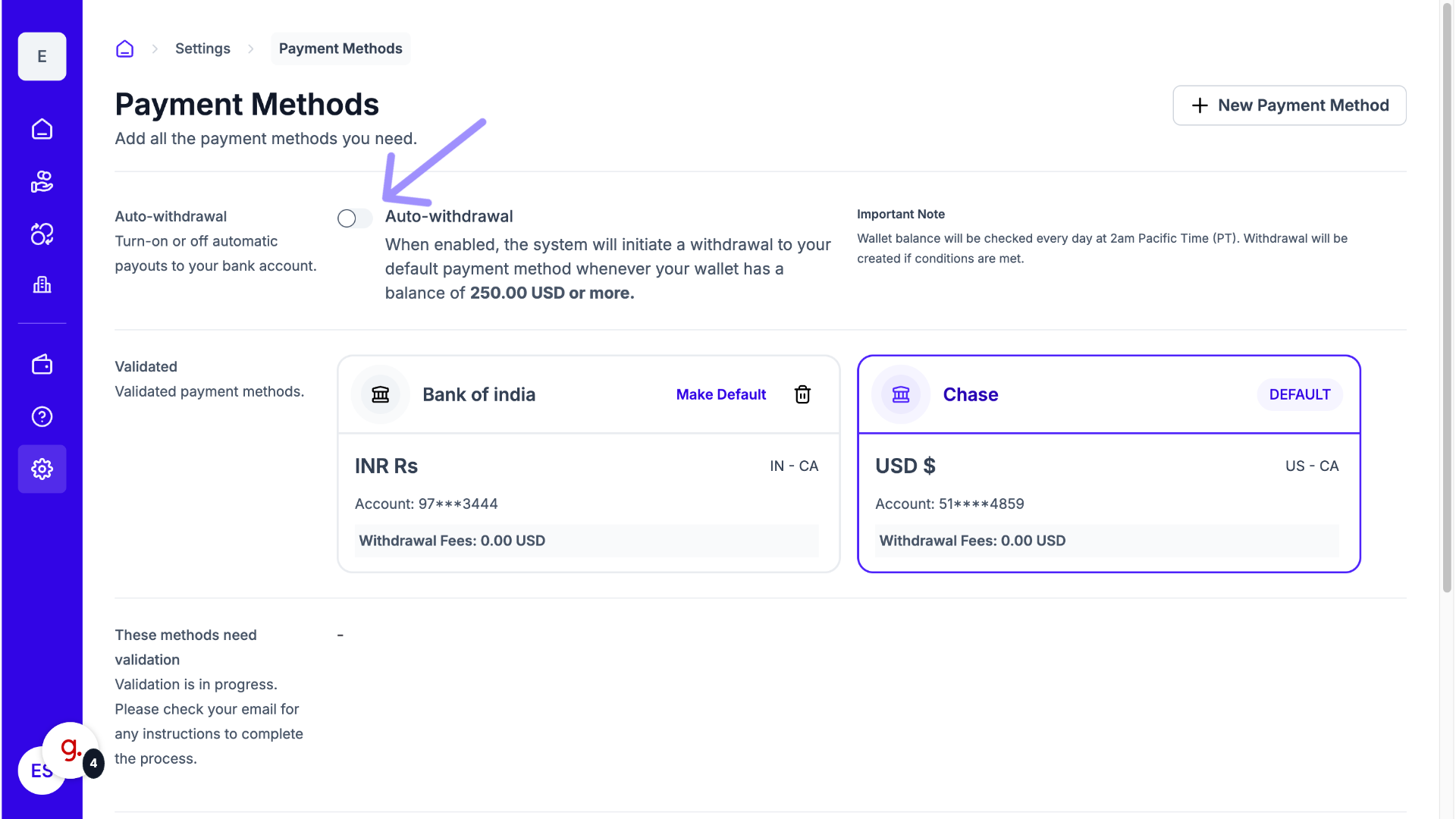
- Enable Auto Withdrawal
Find the "Auto Withdrawal" option and click the slider to enable it. Please be aware that the automatic withdrawal will only be triggered when the balance in your wallet reaches $250 USD or more.
Why This Matters
Having control over your Withdrawal options ensures efficient cash flow management. Manual withdrawal gives you precise control over the timing and choice of currency, while Auto-Withdrawal provides a hands-off approach that guarantees funds are moved to your bank once they reach a safe threshold.